Game Details
Rating: ★ Browser (0)
Played: WebGPU
Developer: Fan project at wow.aethus.pl
Released: Live
Platforms: Desktop browser with WebGPU
Technology: WebGPU · WebAssembly
Survivors · Fan action
Free Online · Instant Browser Play
Before you play
Azeroth Survivors needs WebGPU. Use a current Chrome, Edge, or Safari build. On Linux Chrome the game itself tells you to enable chrome://flags/#enable-unsafe-webgpu if the adapter is missing. This page allows WebGPU inside the frame. If the canvas only shows the game's own warning, open the game in a new tab or use the Windows build linked from wow.aethus.pl. World of Warcraft and Azeroth are not our marks; this fan project is not made by Blizzard.
If the frame stays blank, open the same game directly. Open game in a new tab ↗
Sources





Game Details
Classification & Genres
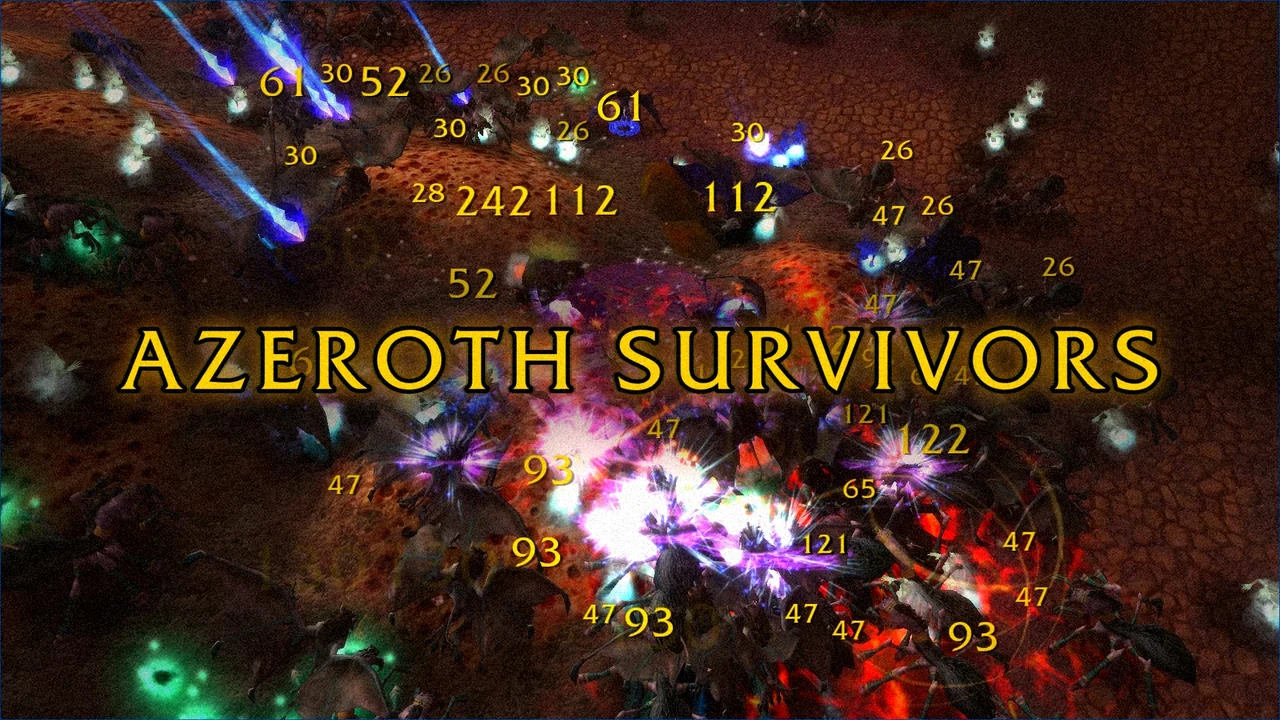
Azeroth Survivors is a free fan-made browser game in the survivors style: you pick a hero, stay alive through a run, and take upgrade cards as the round goes on. The playable build lives at wow.aethus.pl and is drawn by its own client onto a canvas. It is not World of Warcraft, and it is not published by Blizzard.
The page boots a WebAssembly client. Its own notes describe the screens you will see: a hero picker, pick cards, a HUD, and the end of a run. There is no separate instruction manual on the host page, so the first session is about reading those in-game screens rather than memorizing a key chart from outside.
WebGPU is not optional. If the browser has no WebGPU adapter, the game replaces the canvas with a warning and offers a Windows download plus a Discord link hosted on that same site. A busy shared server can also answer with HTTP 429; the game page, not this guide, is where those fallback links are maintained.
Click the canvas after you press Play so the client receives keyboard and pointer input. Theater mode and fullscreen on this site only resize the frame. They do not add WebGPU to a browser that lacks it.
Player Walkthrough
Azeroth Survivors is a free fan-made browser game in the survivors style: you pick a hero, stay alive through a run, and take upgrade cards as the round goes on. The playable build lives at wow.aethus.pl and is drawn by its own client onto a canvas. It is not World of Warcraft, and it is not published by Blizzard. The page boots a WebAssembly client. Its own notes describe the screens you will see: a hero picker, pick cards, a HUD, and the end of a run. There is no separate instruction manual on the host page, so the first session is about reading those in-game screens rather than memorizing a key chart from outside.
Press Play, then click the game canvas so it has focus.
If a WebGPU warning appears, switch to a current Chrome, Edge, or Safari, or follow the game's own Windows-download link.
Use the in-game hero picker to start a run. The client, not this page, lists the available heroes.
During a run, take the upgrade cards the HUD offers. The run ends on the client's own result screen.
If the embed stays on the warning, use Open game in a new tab. The same WebGPU requirement still applies there.
Only notes this guide is willing to stand behind.
Treat the first minute as a hardware check. A blank or warning screen is usually WebGPU, not a dead link.
Linux Chrome users should read the game's flag hint before assuming the embed is broken.
Do not download a Windows build from anywhere except the link on wow.aethus.pl.
This is a fan project. Nothing here is an official WoW private server or a Blizzard account login.
What the public pages cover.
Browser survivors-style runs with an in-client hero picker, upgrade cards, and a HUD.
WebGPU and WebAssembly, so older browsers stop on the game's own warning.
A Windows download is offered by the game site when the browser cannot start the client.
Embedded here only as a fan game. No Blizzard affiliation, account, or official realm.
Everything you need to know about playing Azeroth Survivors online.
Does Azeroth Survivors work without WebGPU?
No. The game shows a warning when the browser has no WebGPU adapter and points you to a current Chrome, Edge, or Safari build. Linux Chrome may need the unsafe-WebGPU flag the game names. The same page also links a Windows download.
Is Azeroth Survivors an official World of Warcraft game?
No. It is a fan-made browser game hosted at wow.aethus.pl. Blizzard does not publish it, and this site is not affiliated with that fan project or with Blizzard.
Why does the embed show a GPU warning even though I clicked Play?
Play only loads the frame. The game still has to create a WebGPU adapter inside it. Open the game in a new tab if the frame cannot. This page sets the iframe allow attribute to include webgpu.
Is there a mobile version?
The host page is a desktop-style canvas client that requires WebGPU. Phones that cannot create a WebGPU adapter will get the same warning. Use a desktop browser that the game lists.
Azeroth Survivors is worth opening when you want a short fan-made survivors run and your browser can actually start WebGPU. If the warning stays up, the game's own page is the place for the Windows build.
For other free browser runs on this site, try PokéSurvivor or the Threshing Day fan game. For a paid Viking survival RPG, read the free Valheim-style list and then buy Valheim from Steam if that is the game you wanted.
More free browser games from this network are at Radiant Optimizer Games.